Review of Vignette, the best Android camera app

1 September 2010 by sage

I see all the cool 20-somethings running around the interweb these days, posting hipster photos taken on iPhones with the Hipstamatic app.  I got a new Android phone recently, a dinc.  The camera hardware is good, but the default camera app is pretty terrible.  Fortunately, there is one good Android app for artistic photography: Vignette, by neilandtheresa.

The list of effects is large and growing, and they are generally really well-implemented and tasteful.  The “normal” effect, which is intended to be film-like, usually produces better results than the default camera: good color balance (with no blue cast like the default often has), stronger contrast, subtle vignetting to emphasize the center of the frame, and nicer grain texture than the harsh pixel noise of the default.
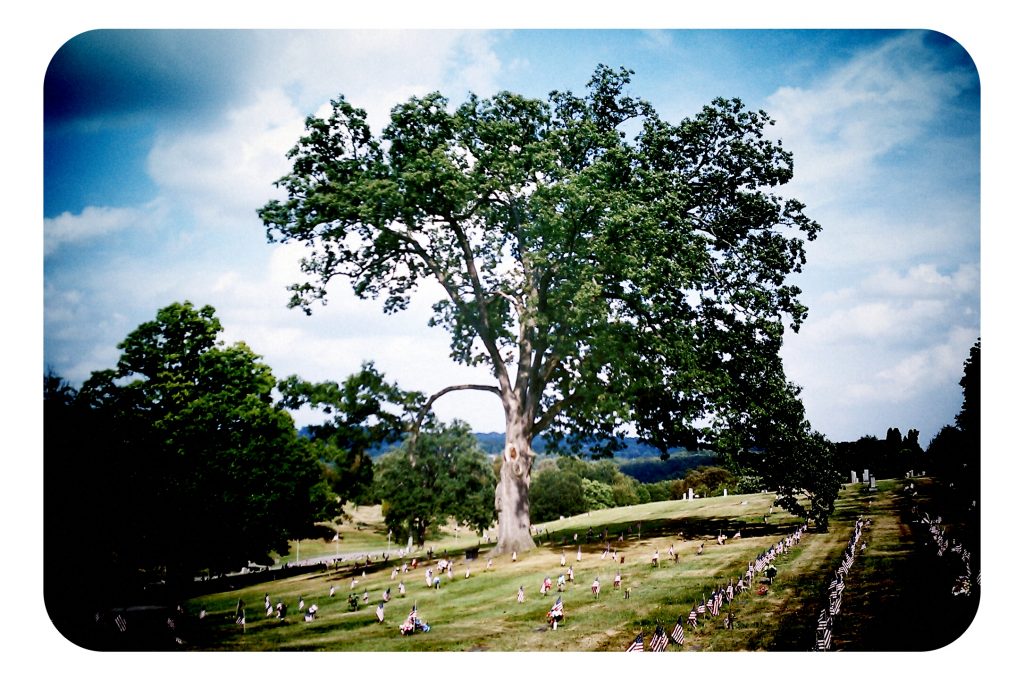
"Normal" processing, 3:2 rounded frame

Vignette has a wide assortment of vintage photography effects: strong vignetting, light leaks, cross-processing, several varieties of toy camera effects, faded old photo effects, sepia, platinotype, bleach bypass, overexposure and underexposure (which work nicely in combination to create dramatic contrast) on and on.  These kinds of things are often done badly, but Neil and Theresa have done an excellent job with almost every effect.  The set of retro color effects is especially good; I’m partial to the “retro cyan” effect, which I use as the baseline for a lot of my favorite effect combinations.  (You can save your favorite setting combinations.)

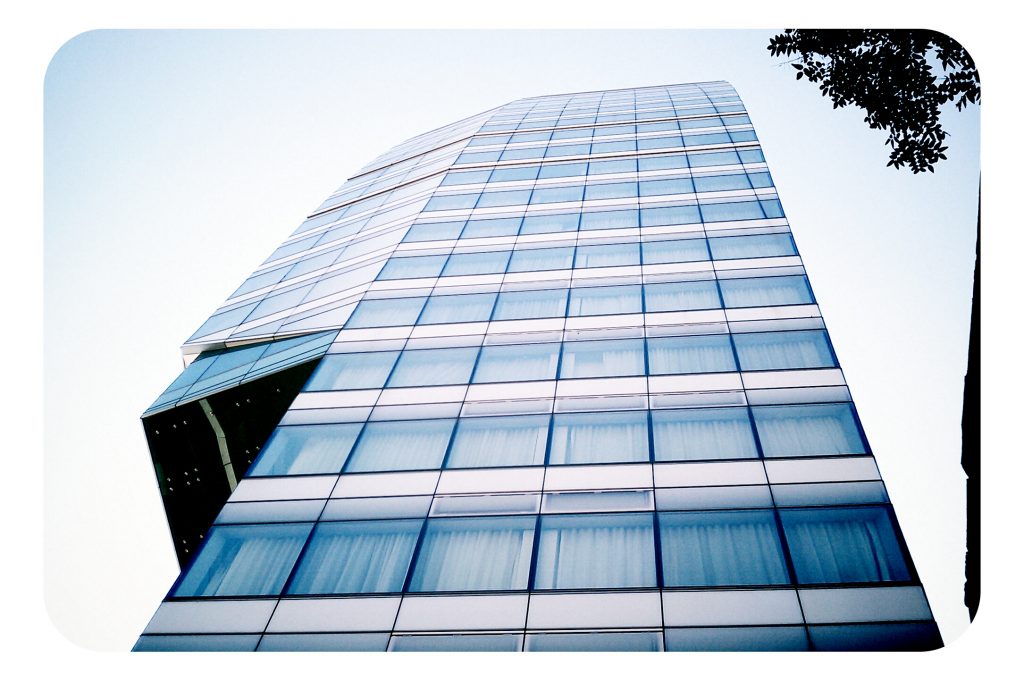
"Retro cyan" effect; grain, vignetting, overexposure, underexposure; instant square frames

One of the best things about Vignette is that you can change the effects around however you like after you take a picture.  You can save a copy with one effect, then change things around or go back to the unaltered photo and save another copy.  If you exit the app without saving (even if you kill it), your latest picture will still be there waiting for you when you open it up again.  You can also import picture to process with it.
Sometimes it takes a while to find just the right options for a good shot.

Vignette has improved quite a bit since I bought it, with some new effects and technical options.  The developers also respond personally to feature requests and suggestions, and have been quick to fix new bugs.  There’s a “Fake HDR” setting that is listed as in development; it doesn’t seem to do anything yet, but I’m looking forward to the Vignette take on HDR.

There a few other things I’d like to see added:

  • More frame options that have some character, like some dirty and scratchy instant camera borders
  • Randomized effects for scratches and blotches on the photos
  • A variety of cross-processing effects with variable intensity.  (The main cross-processing effect is pretty heavy-handed for my taste.)
  • Composites
  • Fish eye
  • Photochrom effect
  • A better gallery, with the ability to scroll/flick from photo to photo
  • Better EXIF data

There are a few other camera apps in this vein, but none are worth using.  The free version of Vignette, which is limited to .3 MP images, is the second-best camera app I’ve found next to the full version.  I’ve tested the high-rated competitors, Camera ZOOM FX (which I promptly uninstalled for a refund) and the free version of Camera 360.  Each of them has a few interesting features that Vignette lacks (e.g., sound-activated shutter), but the quality of the effects just doesn’t hold a candle to Vignette; most of the effects are just cheesy and unattractive.  Vignette also has a better interface, although it takes a while to figure out how to access all the different settings.

Check out what I’ve done with it so far on Flickr.

Possibly related posts:

  1. Vignette for Android keeps getting better
  2. review of The Long Tail
  3. review of Good Faith Collaboration
  4. Review of The Planets, by Dava Sobel
  5. Review of The Evolution-Creation Struggle by Michael Ruse

Posted in photography, things that are awesome | 6 Comments »

6 Responses to “Review of Vignette, the best Android camera app”

  1. [...] This post was mentioned on Twitter by Sage Ross, Katie Filbert. Katie Filbert said: RT @ragesoss: I just blogged about the Android camera app I've been using compulsively for the last few weeks, Vignette: http://ur1.ca/1fgr5 [...]

  2. notafish says:

    I found Retro Camera to be quite good too, if limited. That is, the effects are nice, but the app is buggy and kept freezing my phone.

  3. sage says:

    Yeah, Retro Camera has decent effects, but it’s much less flexible than Vignette. The low resolution (lower than the demo of Vignette, I think) is also frustrating. I don’t think I’ve experienced the bugs you did, though.

    I keep it installed just in case something awesome comes in an update.

  4. [...] to app updates, I get excited at the possibility that there’s a new Vignette feature.  Since I reviewed it in September, Neil and Theresa have added some awesome new ones, really opening up the creative potential of the [...]

  5. Rami says:

    The problem for me is that the app takes on its own look and feel rather than being similar to the stock android app with added functionality. it took me about 20 minutes to decipher the whole interphase and know how to navigate around it. I think thats annoying and takes the fun out of it thus defeating its purpose. Why couldn’t the developers keep it as stock looking as possible with filters and effects implemented on screen. Also the save feature is also slow, it takes about a minute for a picture to be saved in the gallery. I use a nexus S

  6. Darryl says:

    There’s no mention of what might be the one best feature of Vignette, that you can set it to save the original unprocessed version of each photo. If you decide you don’t like the processed version, you still have the original. IMO, that’s what makes it better than Hipstamatic, and therefore the BEST mobile photo app.

leave a comment

recent comments

  • Jana: It is perfect time to make some plans for the future and it’s time to be happy. I have read this post and if I could I desire...
  • Nihiltres: I’ve experienced an interesting counterexample. I was given a pirate copy of “Minecraft” by my younger...
  • sage: I’m not trying to justify copyright infringement, which certainly can harm creators in many cases. But it’s a lot more...
  • Jason Waggoner: Actually, they are both theft, strictly speaking. In the first scenario, you are technically robbing the copywrite owners...
  • Darryl: There’s no mention of what might be the one best feature of Vignette, that you can set it to save the original unprocessed...

Popular Posts

archives

categories

ragesoss dents

  • But when many anecdotes complement each other, and editors pull that out, you get something cool that no current review database can match. - January 28th, 2012 at 8:46 PM
  • As I imagine it, wiki-like curation would be an important element. Amazon reviews are useful not just for ave. stars, but anecdotes. - January 28th, 2012 at 8:42 PM
  • RT@evan Someday knowing the ins and outs of copyright will be like knowing the intricate rules of internal passports in Communist East ... - January 28th, 2012 at 8:10 PM
  • Federation makes a lot of sense... pre-existing communities centered on X (e.g., Android devices) just set up an instance and federate in. - January 28th, 2012 at 8:06 PM
  • Cool! My development skills are minimal, but I'm trying to pick up Django by building a rudimentary review site. - January 28th, 2012 at 8:04 PM
  • Why we need a free culture, community-run review site, independent of any merchant: http://ur1.ca/7x7cn Anybody want to start one with me? - January 28th, 2012 at 12:39 PM

follow me on Identi.ca
www.flickr.com
ragesoss' items go to Sage's photostream

free culture

history of science, etc.

miscellanea

ragesoss feeds